Satellite Tracking
Search the sky catalog by name, track targets at 1 Hz, predict upcoming passes. Works standalone via the Craft API or with Gpredict through the built-in rotctld server. Tracking guide →
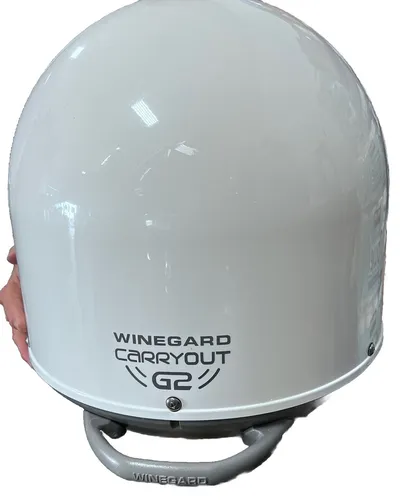
Birdcage turns salvaged RV satellite dishes into general-purpose AZ/EL positioners. Point them at LEO satellites, map the RF sky, capture images during passes — the hardware doesn’t care what you’re tracking or why.
Satellite Tracking
Search the sky catalog by name, track targets at 1 Hz, predict upcoming passes. Works standalone via the Craft API or with Gpredict through the built-in rotctld server. Tracking guide →
Camera Capture
Manual, interval, and pass-event triggered image capture. Produces JPEG frames with JSON metadata and optional FITS output for scientific workflows. TUI guide →
Radio Telescope
2D RF sky mapping with azscanwxp — a firmware command that sweeps azimuth while cycling DVB transponders and logging RSSI at each grid point.
Radio telescope guide →
Signal Analysis
Live RSSI monitoring, automated sweep peaking, DVB tuner access, and LNB polarity switching — all from the Signal screen. Signal screen →
Motor Control
Keyboard nudging, position presets, velocity tuning, configurable step sizes. Direct motor commands with safety gates to prevent accidental stow. Control screen →
Raw Console
Full firmware shell access through the TUI. 12 submenus, 100+ commands, with history and prompt-aware I/O. Command reference →
Birdcage doesn’t maintain its own TLE files or orbital prediction engine. It talks to Craft — an open API that knows where everything is. Search “ISS” and get its current azimuth and elevation from your location. Search “Moon” and point the dish at it. The catalog covers LEO satellites, GPS constellations, geostationary birds, deep space probes, and celestial bodies — anything with a known ephemeris.
The integration runs at three levels:
search_satellites, get_passes, get_next_pass, and get_visible_targets
tools let any MCP client query the catalog and compose tracking workflows.No NORAD catalog numbers to memorize, no TLE files to download, no prediction libraries to configure. Type a name, get a position.
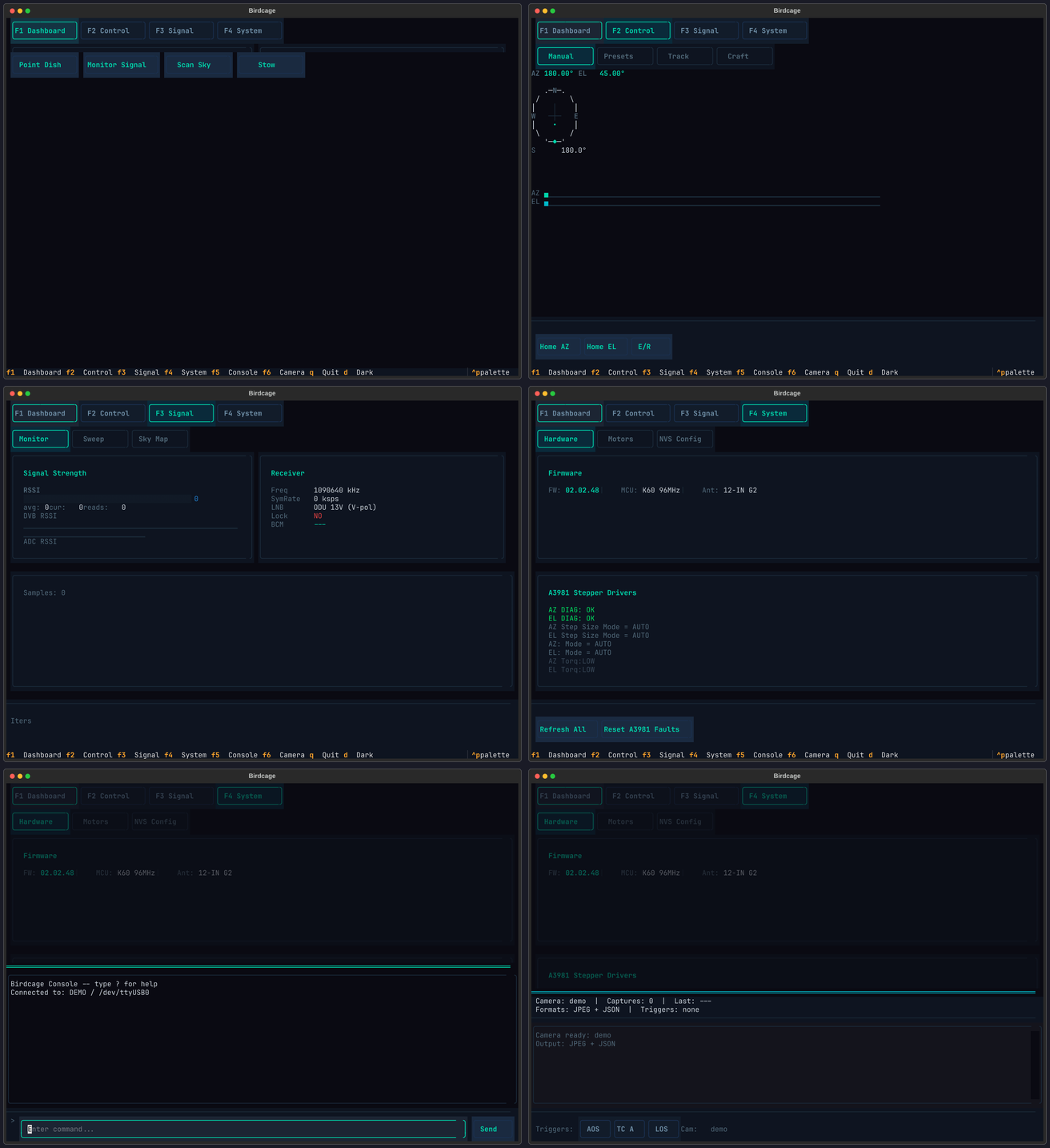
Six screens, one terminal. Everything from pass prediction to raw firmware commands:
uvx birdcage-tui --democd tui/uv syncuv run birdcage-tui --demoIn ham radio, satellites are called “birds.” The Carryout G2’s white dome radome looks like a birdcage — and a birdcage catches birds from the sky.
It’s also a nod to saveitforparts. Gabe saves discarded RV satellite dishes “for parts.” We took the parts and built a birdcage from them.
Five Winegard dish variants are documented, with varying levels of testing:
| Variant | Connection | Status |
|---|---|---|
| Trav’ler (HAL 0.0.00) | RS-485 / RJ-25 | Supported (Gabe’s original) |
| Trav’ler (HAL 2.05) | RS-485 / RJ-25 | Supported (Gabe’s original) |
| Trav’ler Pro | USB A-to-A | Partially supported |
| Carryout (2003) | RS-485 / RJ-25 | Supported (different protocol) |
| Carryout G2 | RS-422 / RJ-12 | Fully reverse-engineered |
The Carryout G2 has the most complete documentation — over 100 firmware commands mapped across 12 submenus, NVS settings dumped, GPIO pins identified, and motor control characterized.
Getting Started
What hardware you need, how to connect, and your first satellite track. Start here →
Guides
Wiring, calibration, satellite tracking, camera capture, radio telescope, BLE wireless bridge. Browse guides →
Reference
100+ firmware commands, NVS settings, GPIO pin maps, hardware specs, serial protocol. See reference →
Experiments
Solar monitoring, rain fade radiometry, hydrogen line astronomy, weather satellite imagery, and more — on-board DVB and external SDR. Browse experiments →
Project Journal
Discovery stories, debugging sessions, and the ongoing narrative of reverse-engineering these dishes. Read the journal →
This isn’t just a reference manual. The project journal captures the story of how we got here — the debugging sessions, the discoveries, the moments where a ? in the right submenu revealed a whole new capability.